







Plan, document, design and more.
A visual reply to your verbose agent.
claude plugin marketplace add andreiverdes/bluedocclaude plugin install bluedoc@bluedoccodex plugin marketplace add andreiverdes/bluedoccodex plugin add bluedoc@bluedocpi install git:github.com/andreiverdes/bluedocomp plugin marketplace add andreiverdes/bluedocomp plugin install bluedoc@bluedoccopilot plugin install andreiverdes/bluedocgit clone https://github.com/andreiverdes/bluedoc.gitagy plugin install bluedoc/antigravitynpx skills add andreiverdes/bluedoc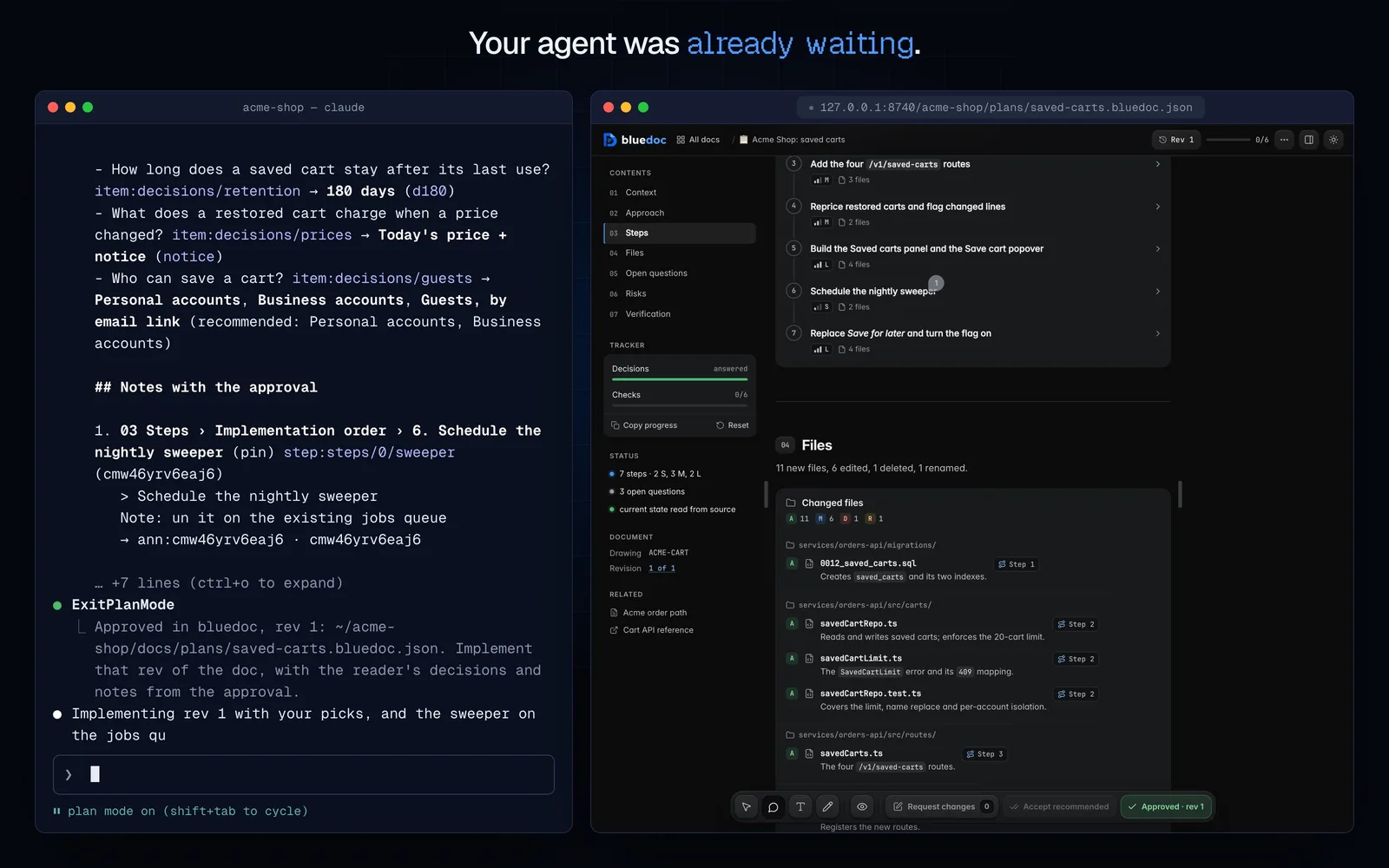
bluedoc turns what your agent writes into pages: plans, docs, reviews, designs and decks. You answer on the page; it reads every answer.
Inside your agent.
Ask for a doc the way you always do. Pick a type and see the page it opens.
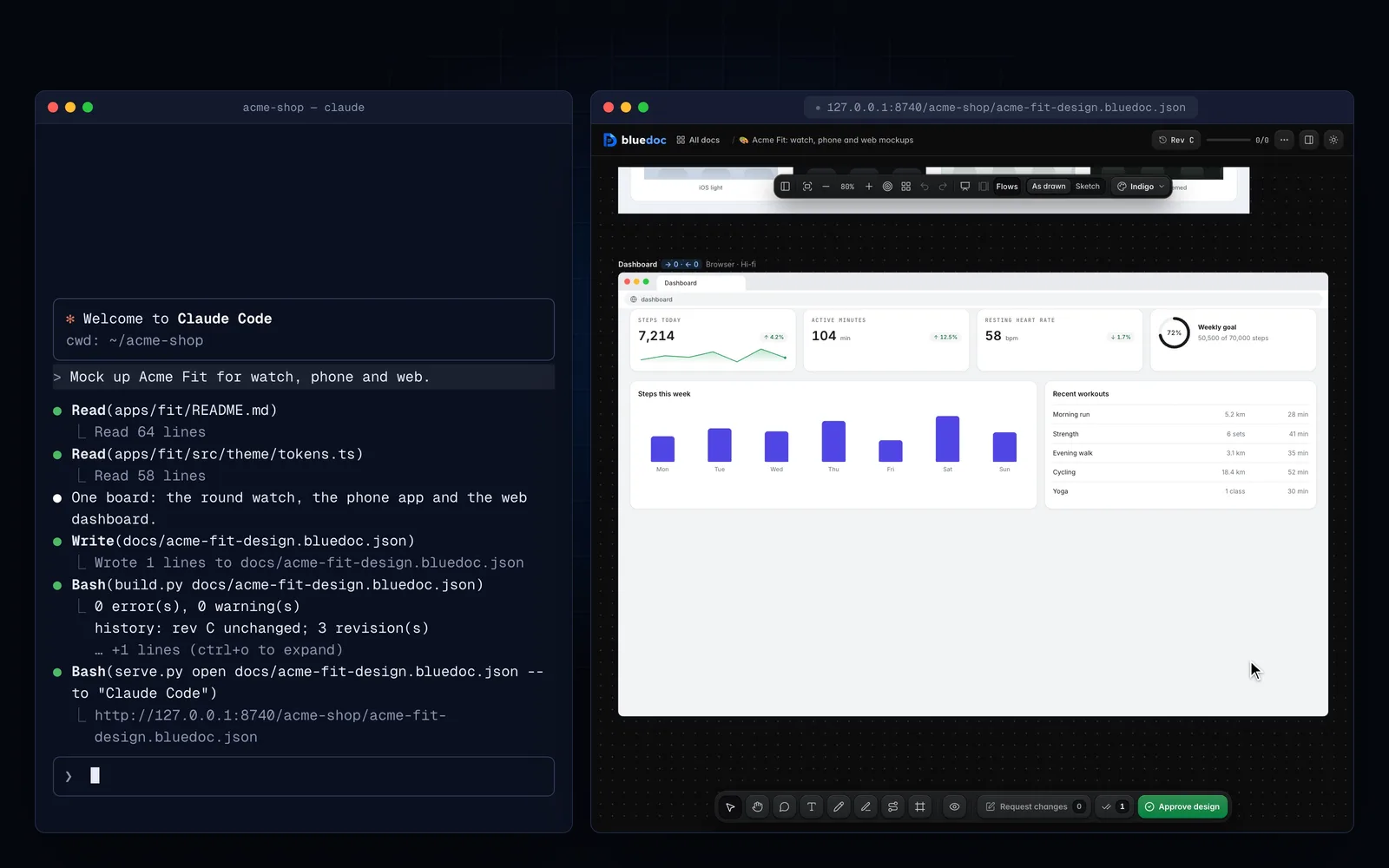
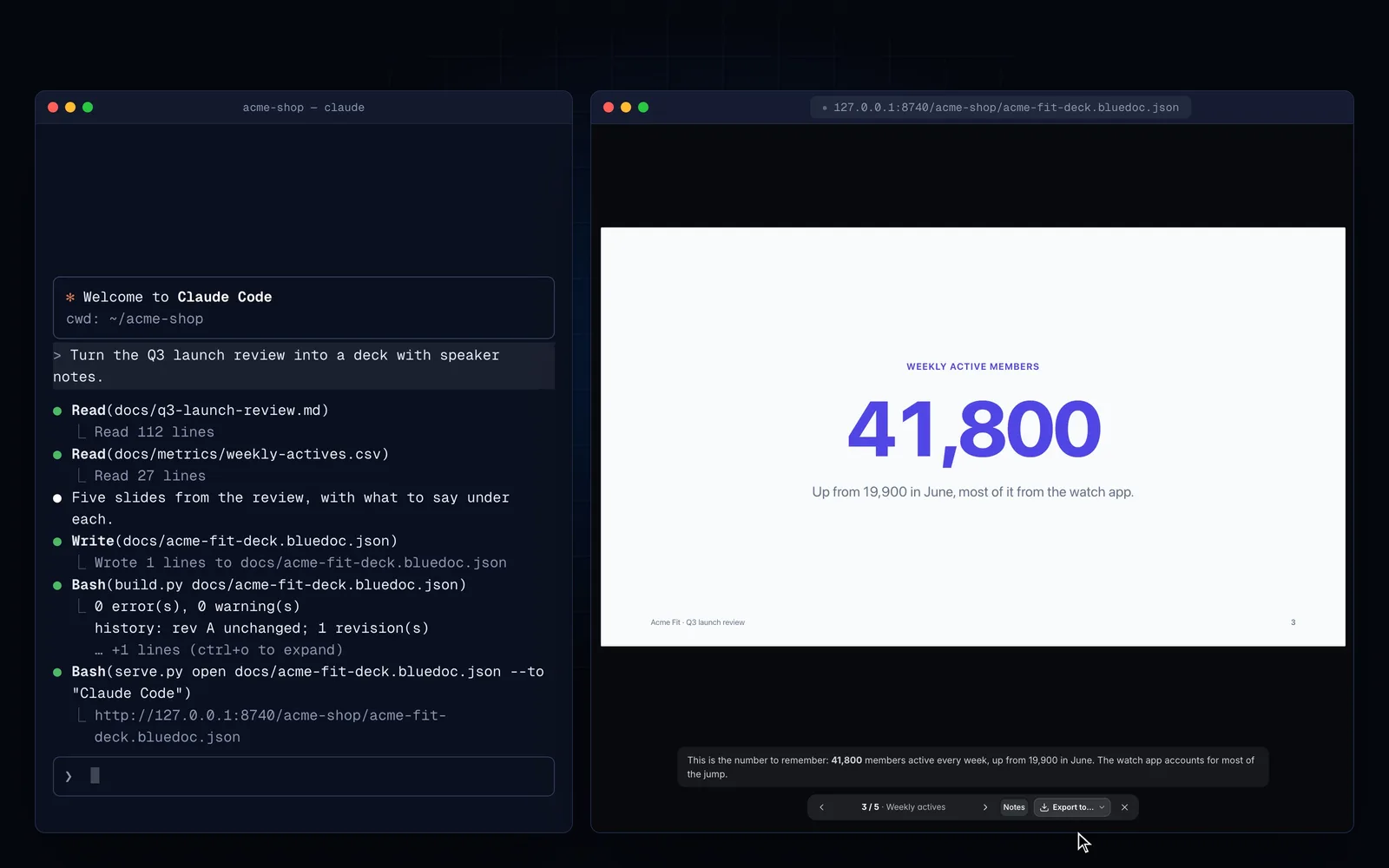
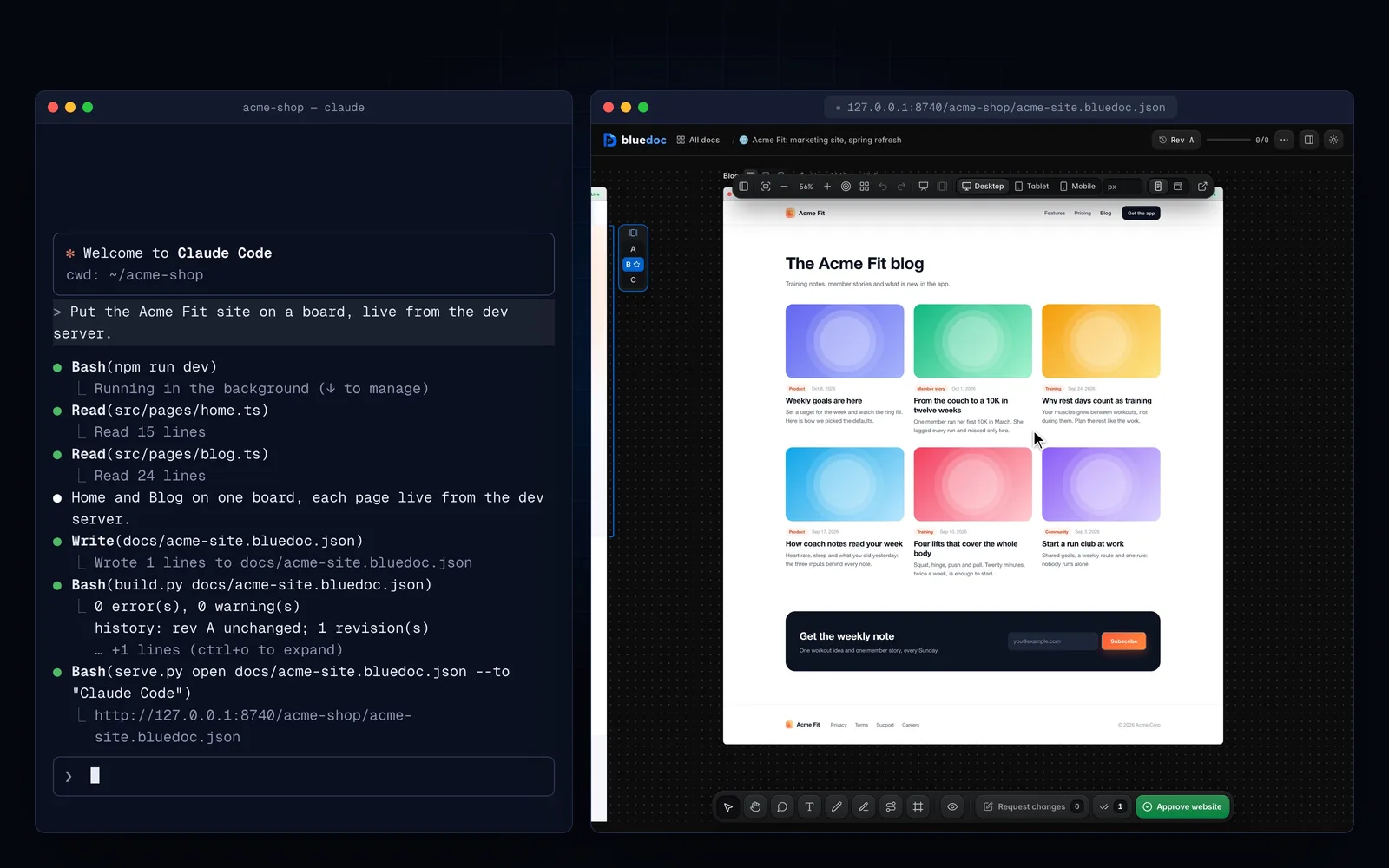
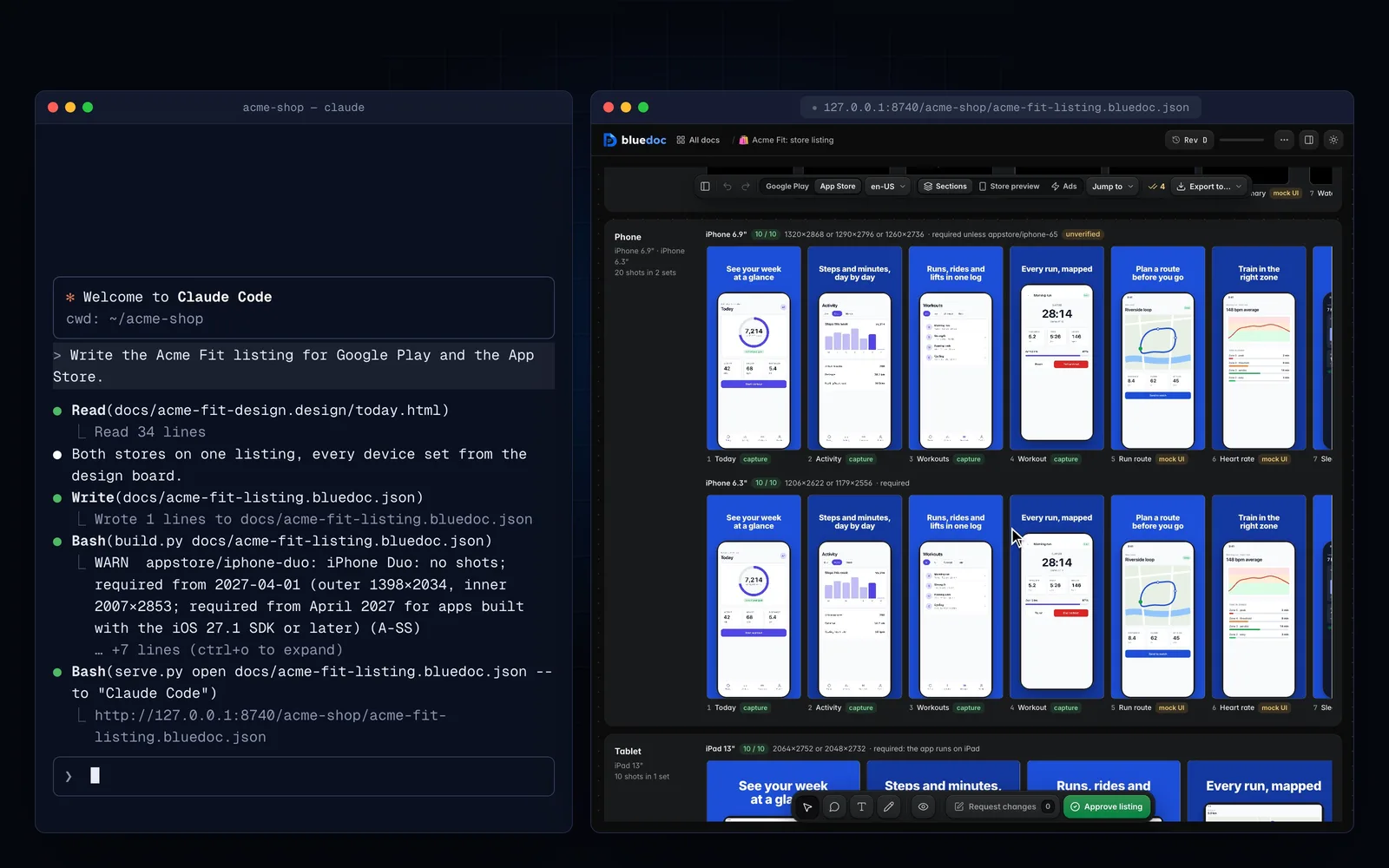
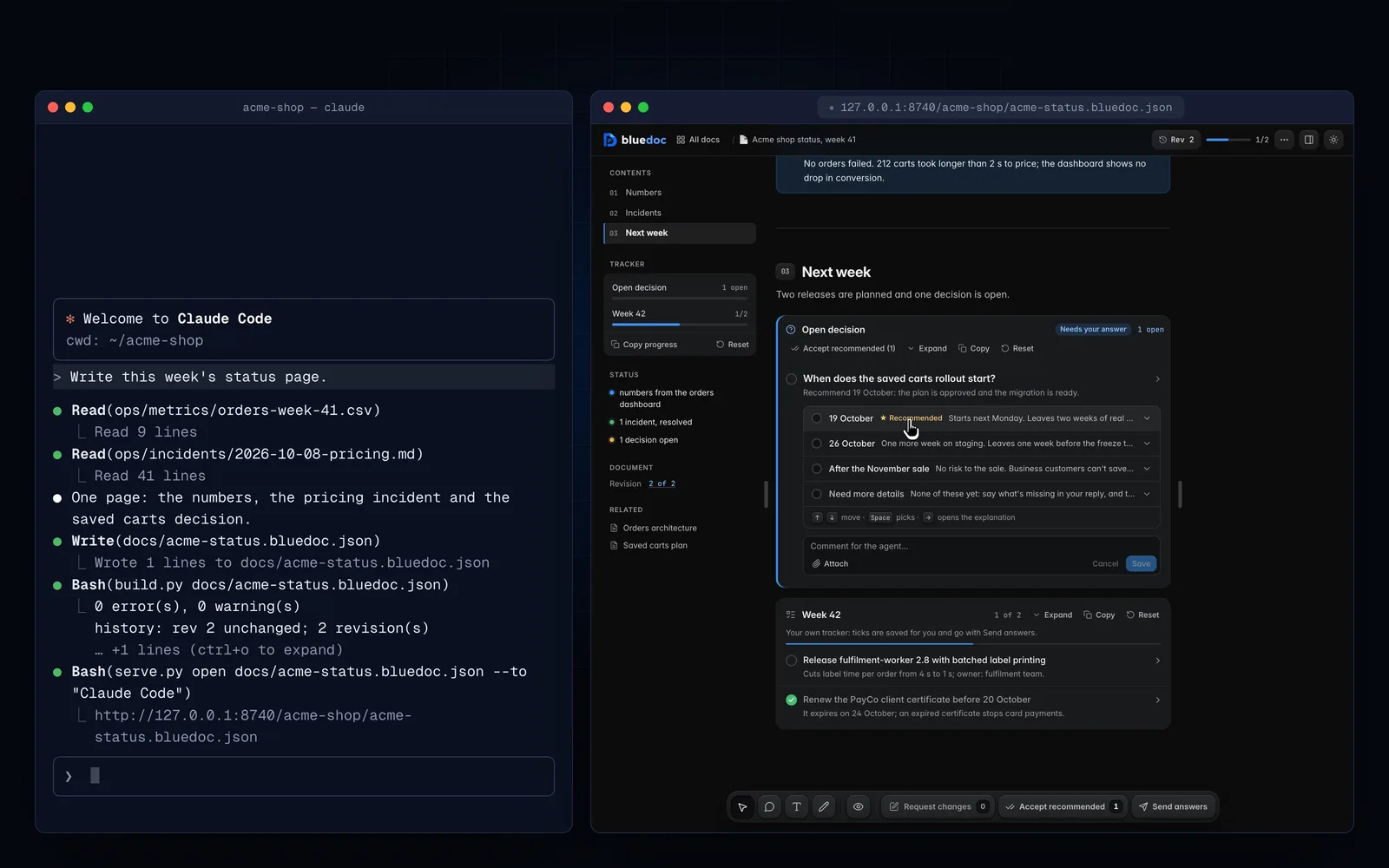
Installs as a plugin in Claude Code, Codex, pi, omp, Copilot CLI, Antigravity CLI.
Install once.
Then answer on a page.
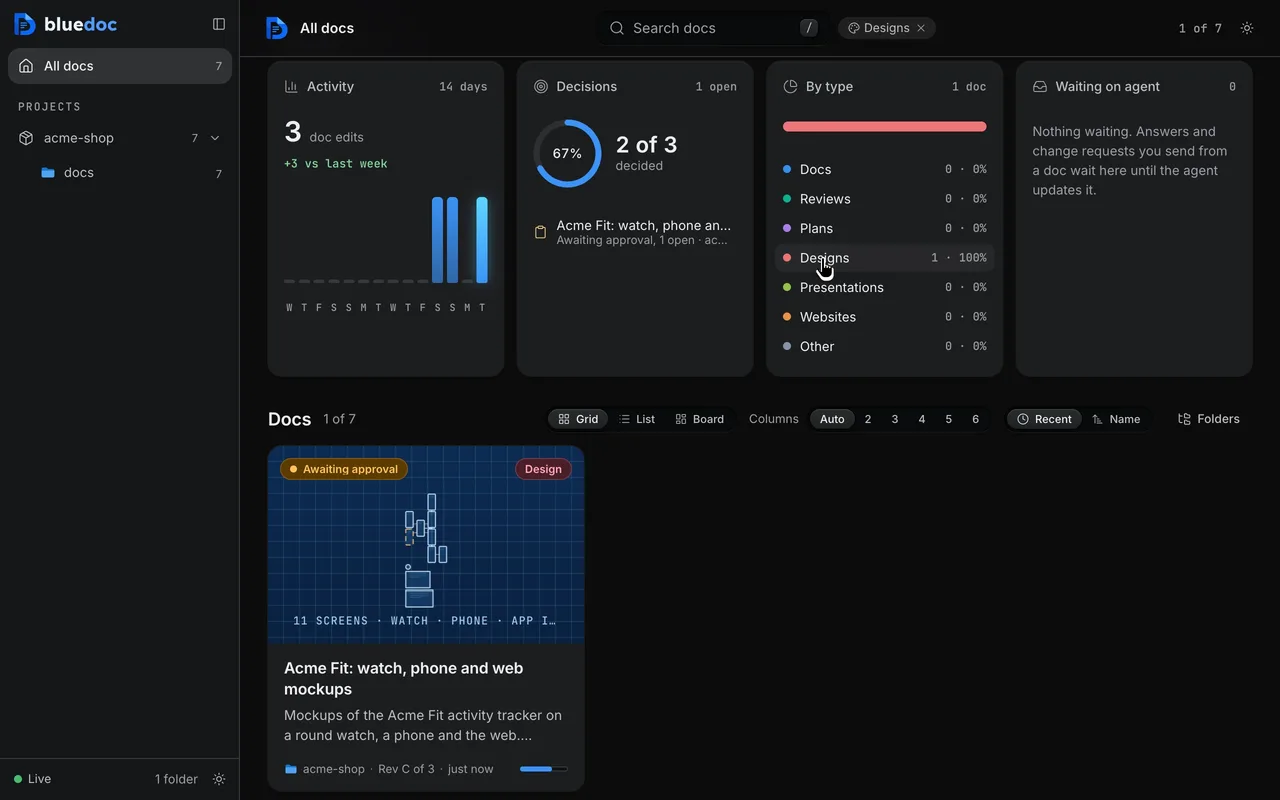
Install once.
One command adds the skill to your agent. It needs Python 3.9 or later and nothing to host.
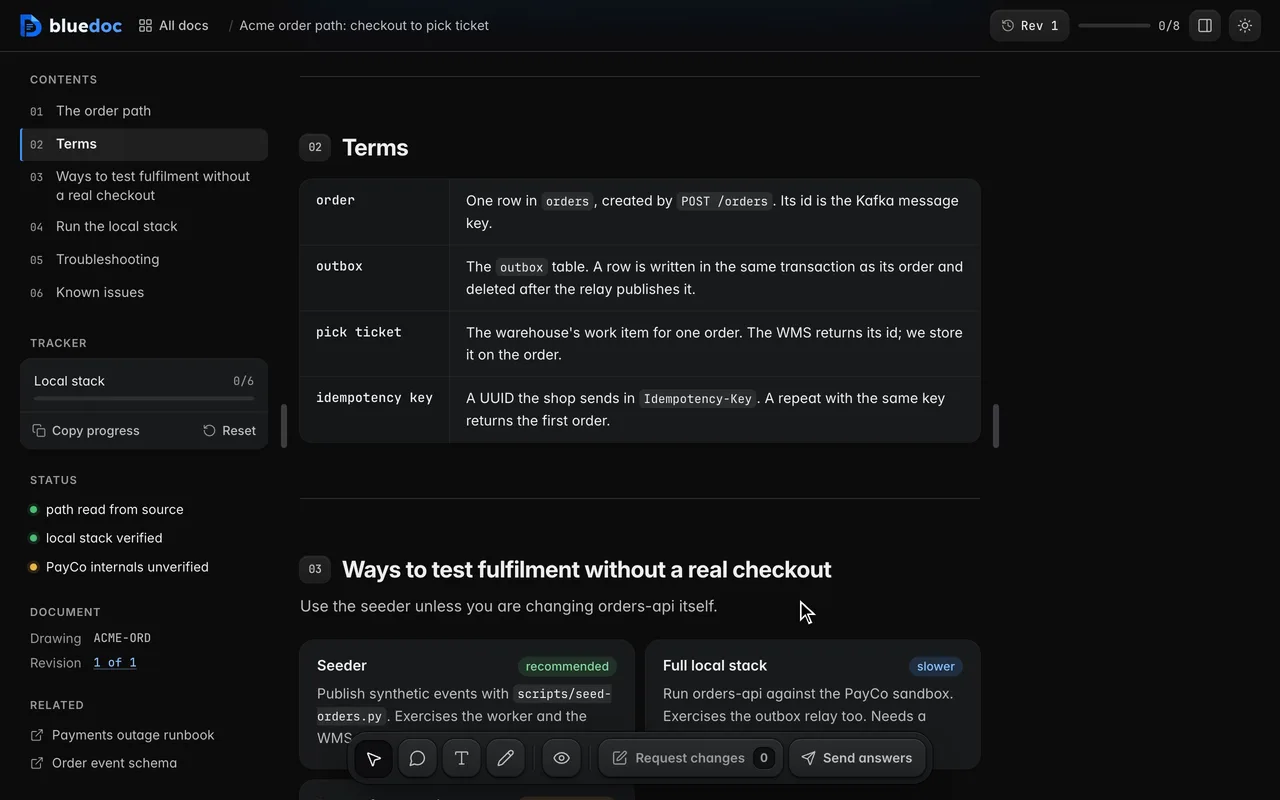
Ask in plain words.
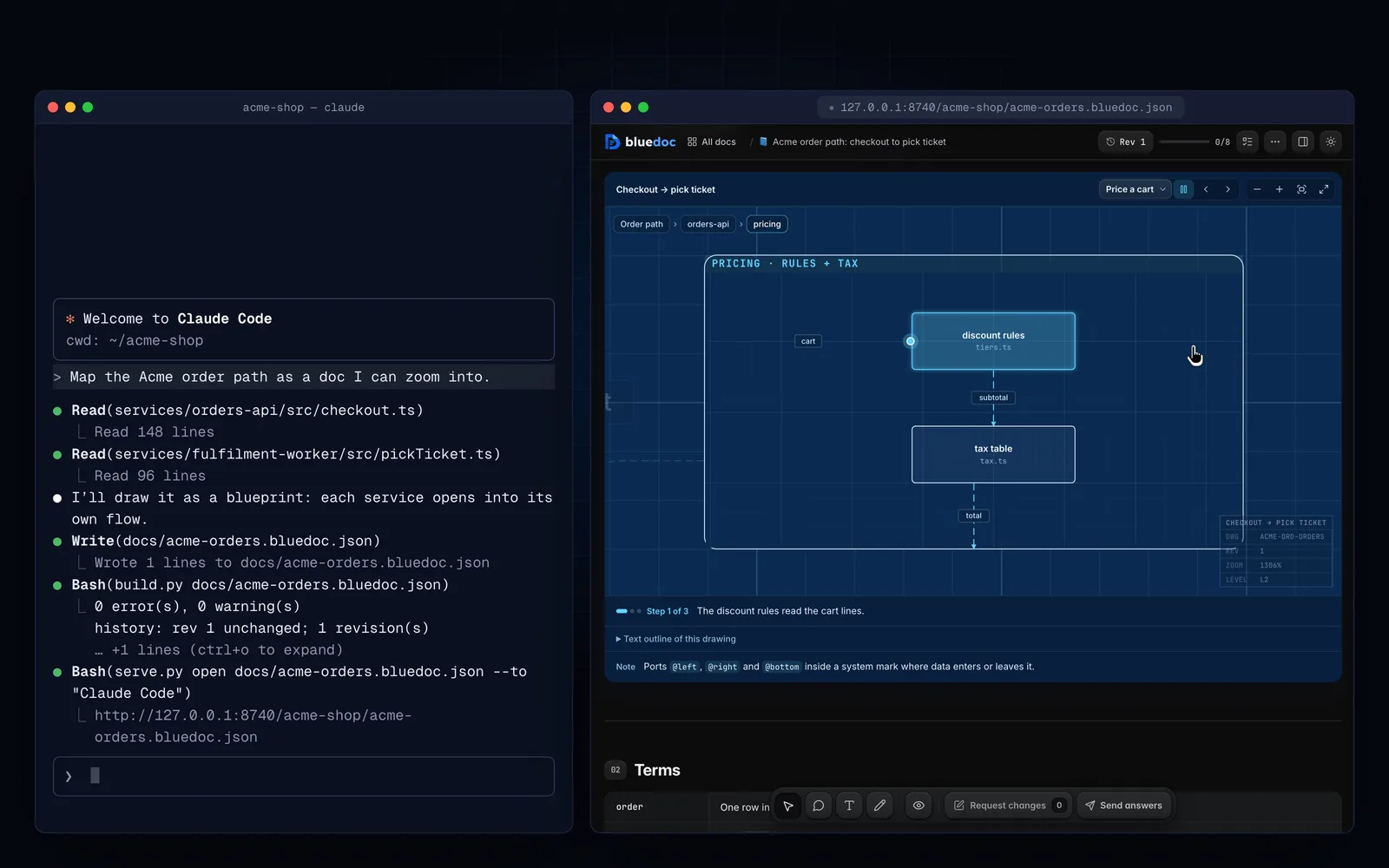
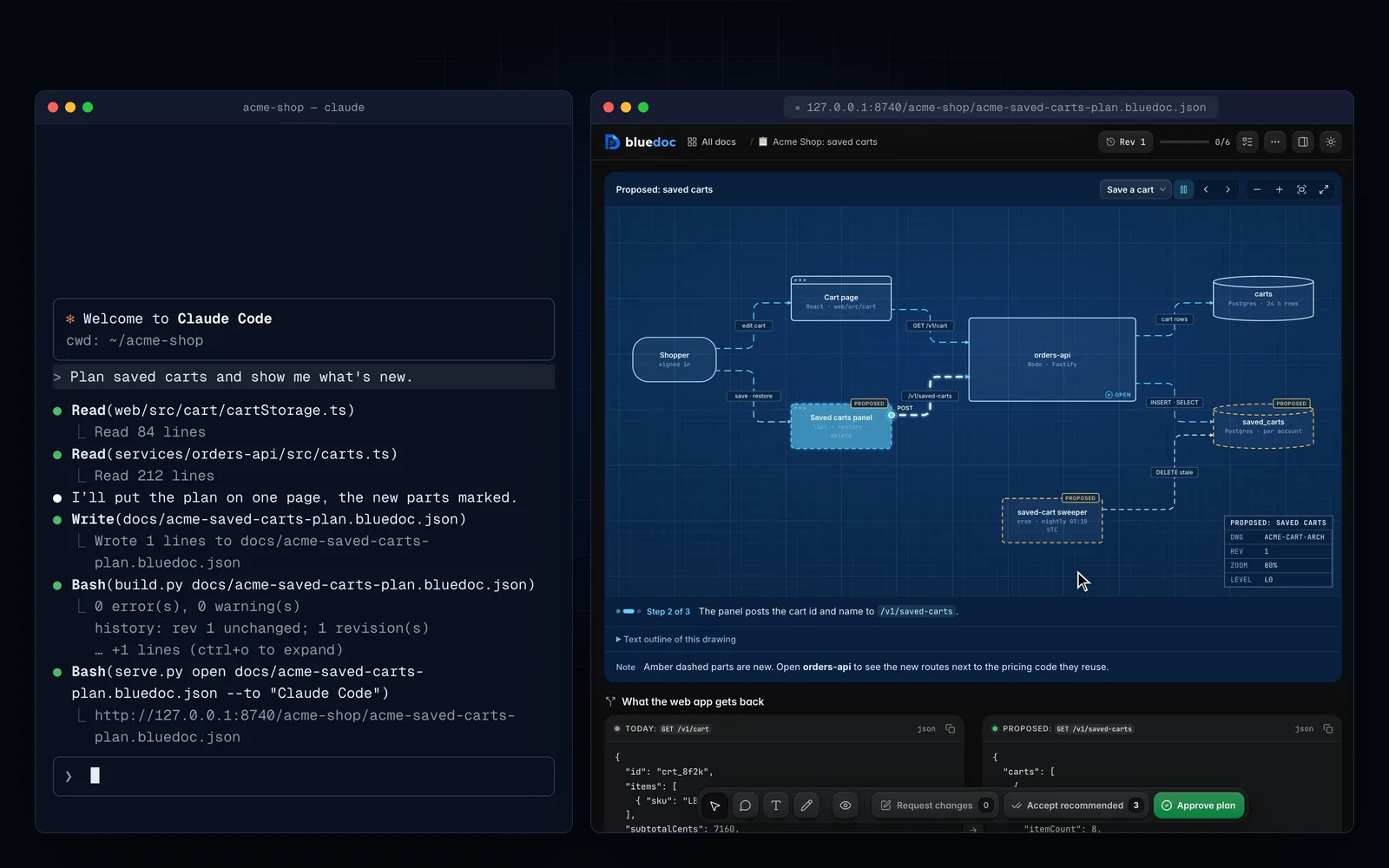
Ask for a plan, a review, a design or a deck, as you would anyway. It opens as a page on the local server.
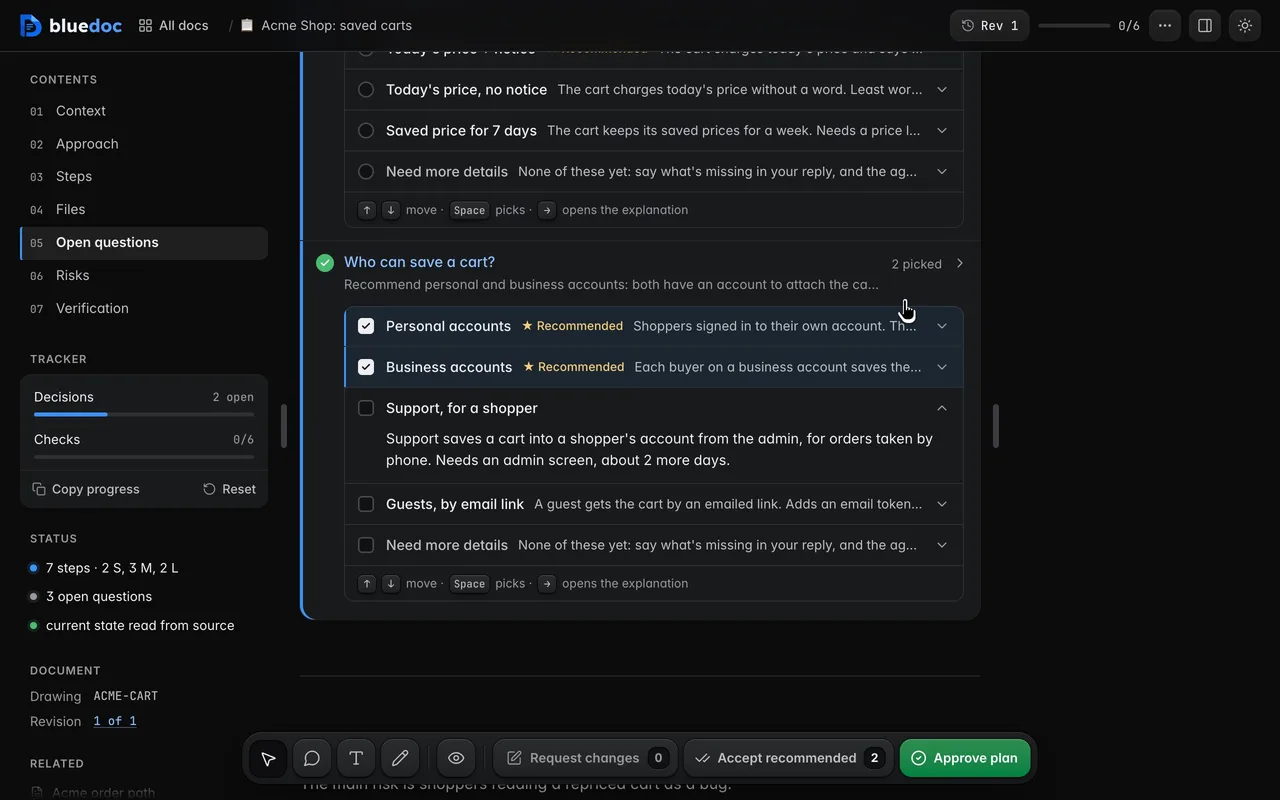
Answer on the page.
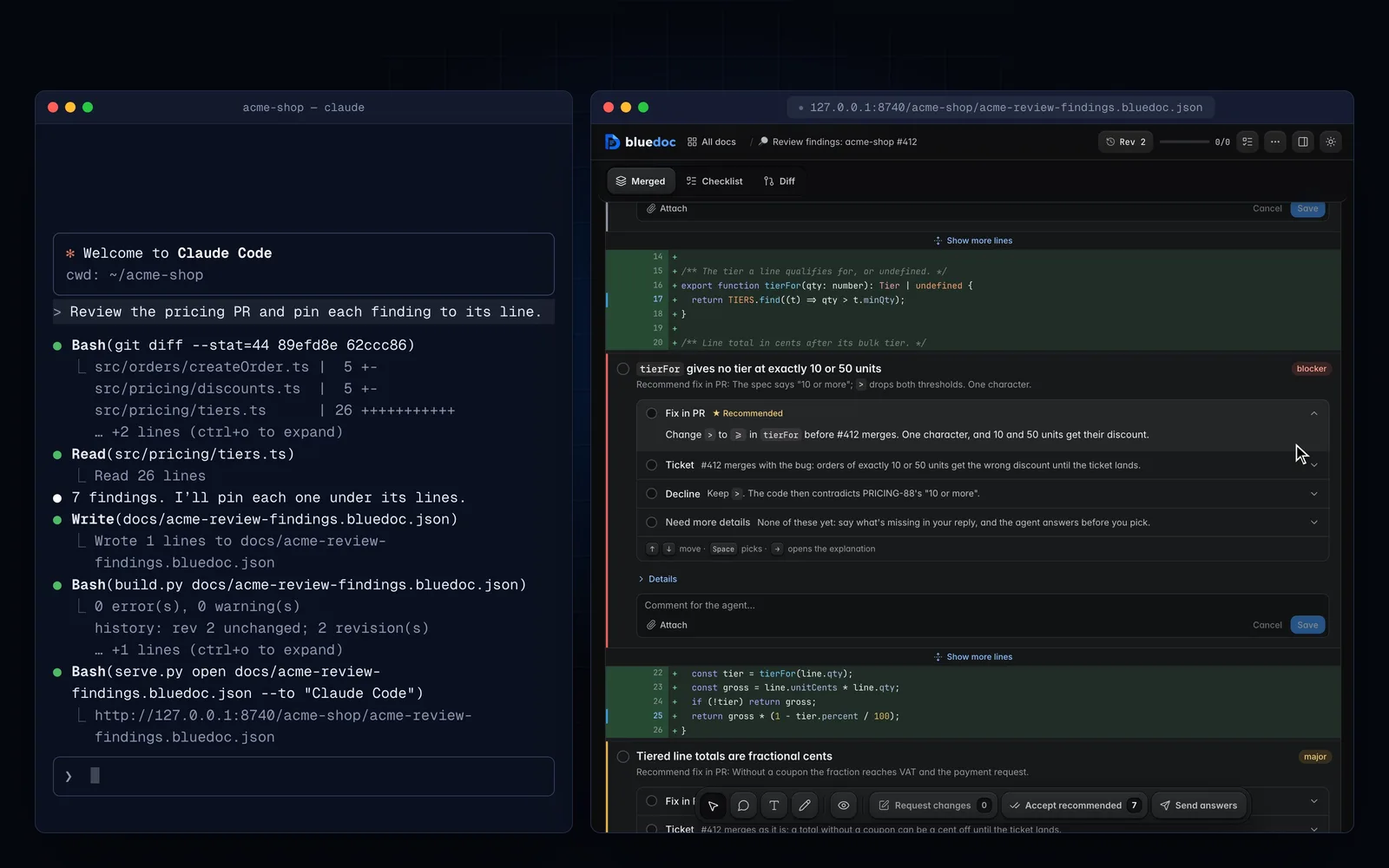
Point at a part, pick an option, approve. The agent reads every answer and revises.
Plan mode too. In plan mode the plan opens as a page, and the agent waits for Approve before it writes code.
One JSON file per doc. The server renders the page from it on every request, so an edit and a reload is the whole build.
A chat asks you to reply in prose.
Agents answer in walls of text and wait for a reply in prose. A bluedoc page asks you the questions and keeps your answers.
A chat reply
Prose in, prose outWhat you do In a chat Point at one part Quote it back in prose Choose between options Type “go with option 2” See what changed Reread the whole reply Sign off Say “looks good” Keep your answers Scrolled away in the transcript A bluedoc page
Point, pick, approveWhat you do On a bluedoc page Point at one part Pin a comment on it Choose between options Pick a row; the recommendation is starred See what changed Compare two revisions, word by word Sign off Approve the current revision Keep your answers Kept in ~/.bluedoc/state.db
- Doc types
- 8
- Docs, plans, reviews, designs, decks, sites, store listings and more.
- Agent plugins
- 6
- Claude Code, Codex, pi, omp, Copilot CLI, Antigravity CLI. Any other through the skills CLI.
- JSON file per doc
- 1
- The server renders the page from it; no HTML to keep in sync.
- Accounts
- 0
- It runs on 127.0.0.1, MIT, with no hosted service.
Counted from the lists on this site, so they stay true when a type or an agent is added. Agent plugins: Claude Code, Codex, pi, omp, Copilot CLI, Antigravity CLI; any other agent installs through the skills CLI.
Built for answering, not just reading.
Three things you do on every page, and two you never have to think about.
Comments that become conversations
Point at an element, select a passage or draw a box, and attach a file when words aren’t enough. Each note, item and general comment is a thread the agent replies in.
Options as rows, recommendation starred
Each option explains itself in a line. Pick one, or several where a question allows, or Accept recommended to take every starred option.
Revisions you can compare
Every build is a revision. Compare any two: new, changed and removed parts are marked in place, word by word.
All about revisions
Local
Your input stays on your machine
Ticks, picks and comments live in a local SQLite file the server owns, never in the repo. Screens run sandboxed, with no network.
- Address
- 127.0.0.1
- Accounts
- 0
- Your answers
- state.db
Approved · rev 1
Approve, and the agent proceeds
Plans, designs, decks and store listings wait for approval on the current revision. Request changes sends them back.
- Waits for
- Approve
- Sends back
- Request changes
- Each build
- a revision
Questions, answered.
Yes. bluedoc is open source under the MIT licence. There is no account, no subscription and no hosted service.
Claude Code, Codex, Copilot CLI, Antigravity CLI, pi and omp install it as a plugin, with a plan-mode gate and /bluedoc-* commands. Any other agent that reads skills can get it with the skills CLI (npx skills add andreiverdes/bluedoc) or a copy of the skill folder.
On your machine. Ticks, picks, comments and replies live in ~/.bluedoc/state.db, a SQLite file the local server owns, never in the repo. Only a browser that opened a link from the server can save.
No. The server runs on 127.0.0.1 and serves its fonts, styles and UI kits itself. Design screens run sandboxed with no network. Only importing GitHub review threads, or diffing a PR whose repo isn’t checked out, calls gh.
Yes. Add -o name.html to the build command for a standalone HTML file you can send to someone. Decks also export as PDF, and store listings as a fastlane ZIP, a plain-folders ZIP, a PDF or HTML.
bluedoc’s own code is MIT. The vendored HorizonUI build is Apache-2.0, and the fonts it ships are SIL OFL 1.1. The repository’s README lists every third-party licence.
Answer your agent
on a page.
Pick your agent. Each one installs the same skill from the GitHub repository.
claude plugin marketplace add andreiverdes/bluedocclaude plugin install bluedoc@bluedocInside a session the same commands are /plugin marketplace add andreiverdes/bluedoc and /plugin install bluedoc@bluedoc. Start a new session to load the skill.
codex plugin marketplace add andreiverdes/bluedoccodex plugin add bluedoc@bluedocRestart Codex. Mention the skill with $bluedoc or let Codex pick it from your request. Plan mode (/plan) opens the plan as a page; the README has the sandbox lines that skip the approval prompts.
pi install git:github.com/andreiverdes/bluedocRestart pi. /bluedoc-plan-mode turns on plan mode, and the plan opens as a page for your approval.
omp plugin marketplace add andreiverdes/bluedocomp plugin install bluedoc@bluedocRun /reload-plugins in an open session, or start a new one. omp’s plan reviews open as pages: Approve runs the plan, Request changes refines it.
copilot plugin install andreiverdes/bluedocStart a new session. When Copilot leaves plan mode, its plan opens as a page and waits for your approval.
git clone https://github.com/andreiverdes/bluedoc.gitagy plugin install bluedoc/antigravityRestart agy. In plan mode (agy --mode plan or /plan), the implementation plan opens as a page for your approval.
npx skills add andreiverdes/bluedocFor any other agent that reads skills. Or clone the repository and link skills/bluedoc into your agent’s skills folder.
- Python 3.9 or later on PATH
- git, for code reviews
- gh, only to import GitHub review threads